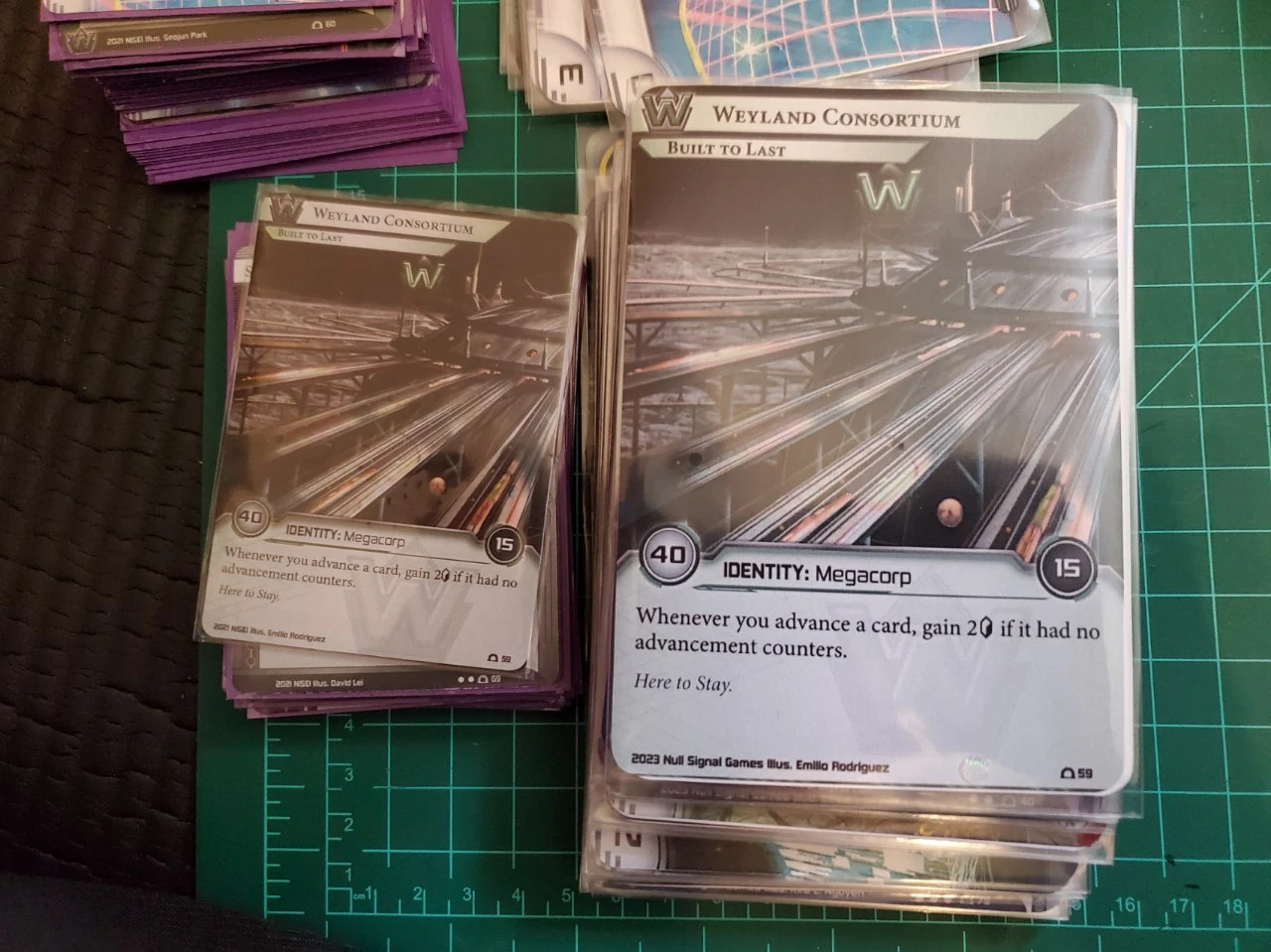
 don't talk to me or my son ever again
Printing Accessible Playing Cards
My girlfriend is legally blind, and I really wanted us to be able to enjoy Netrunner together at the table. The default cards are gorgeous, but the text is tiny, and a lot of low-vision accessibility work boils down to "just play something else instead".
This post documents what actually worked for us - both for digital play and for big, physically printed cards - plus some notes if you want to reproduce the sizing yourself.
TL;DR
- 🖼️ Image Album of my results
- If digital is an option, play on jinteki.net with the Cyberfeeder extension and my shared settings (below).
- For physical play, I printed the official Print-and-Play files on 11×17 (tabloid) at about 141–142% and sleeved them in oversized 3.5×5" "commander" sleeves.
- Our printed cards ended up roughly 89×123 mm – big enough to be readable, still easy to shuffle with average-sized hands.
- The appendix at the bottom has the measurements and rough math I used to sanity-check printer margins and scaling.
Digital Play
Play on jinteki.net on Firefox using the Cyberfeeder plugin. Import these settings by downloading the file. At the bottom of the "Settings" tab in the Cyberfeeder sidebar, you can select and import said file.
Previews:
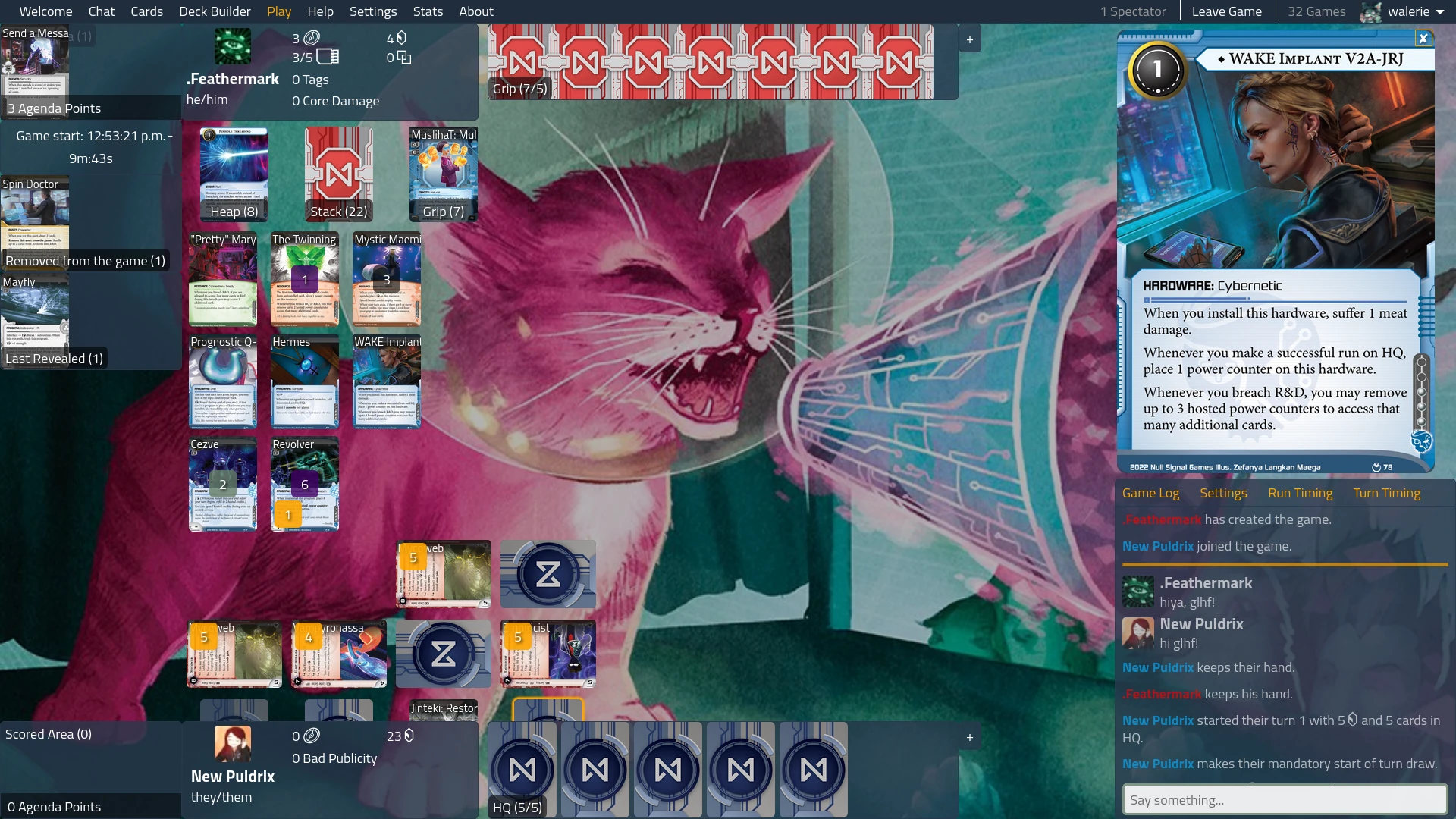

You can scroll up and down on the middle play area to see the full board. I like playing with the browser on fullscreen (press F11).
You will also need to set these three settings on jinteki.net as well:
- Card preview zoom
- [x] Card Image
- [ ] Card Text
- [x] Keep zoomed cards on screen
- Card images
- [x] Enable high-resolution card images
Physical Play
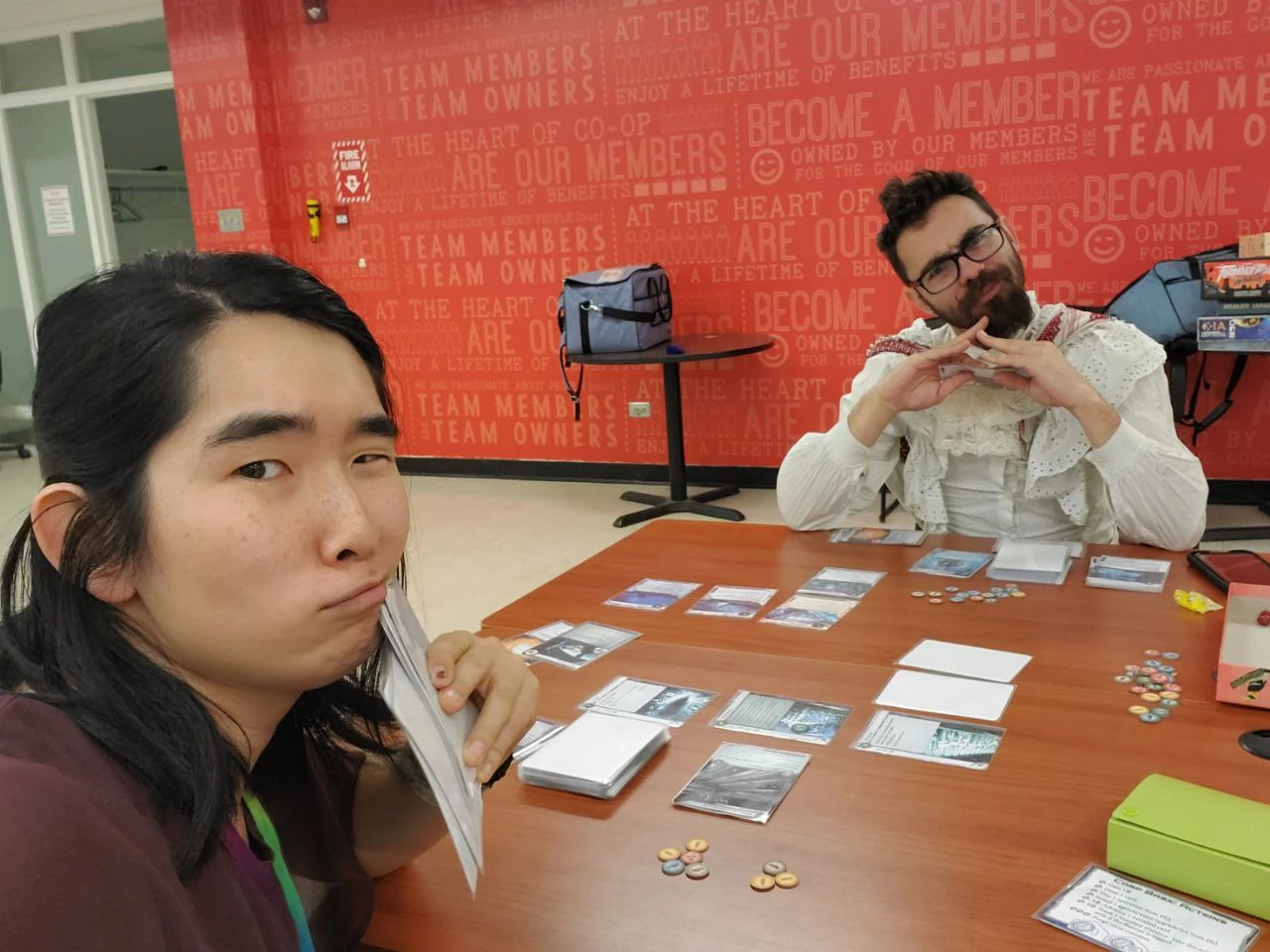
For many cards, there is too much text to simply resize the text larger and have it all fit. And you don't want to go without the art – it's actually quite an important visual marker to help you recognize your hand and board at a glance.
Here are some avenues I considered.
Throw money at the problem
If you don't care about cost, makeplayingcards.com has a variety of different card sizes for you to print, and the rest is done by providing files. However, to print the oversized commander cards I mention below, this would cost about $1/card alone, making it over $400 USD for a full set of System Gateway and Elevation.
You can learn more about this approach here: /r/magicproxies
Print and Play Oversized MTG Commander (I did this one 🤩)
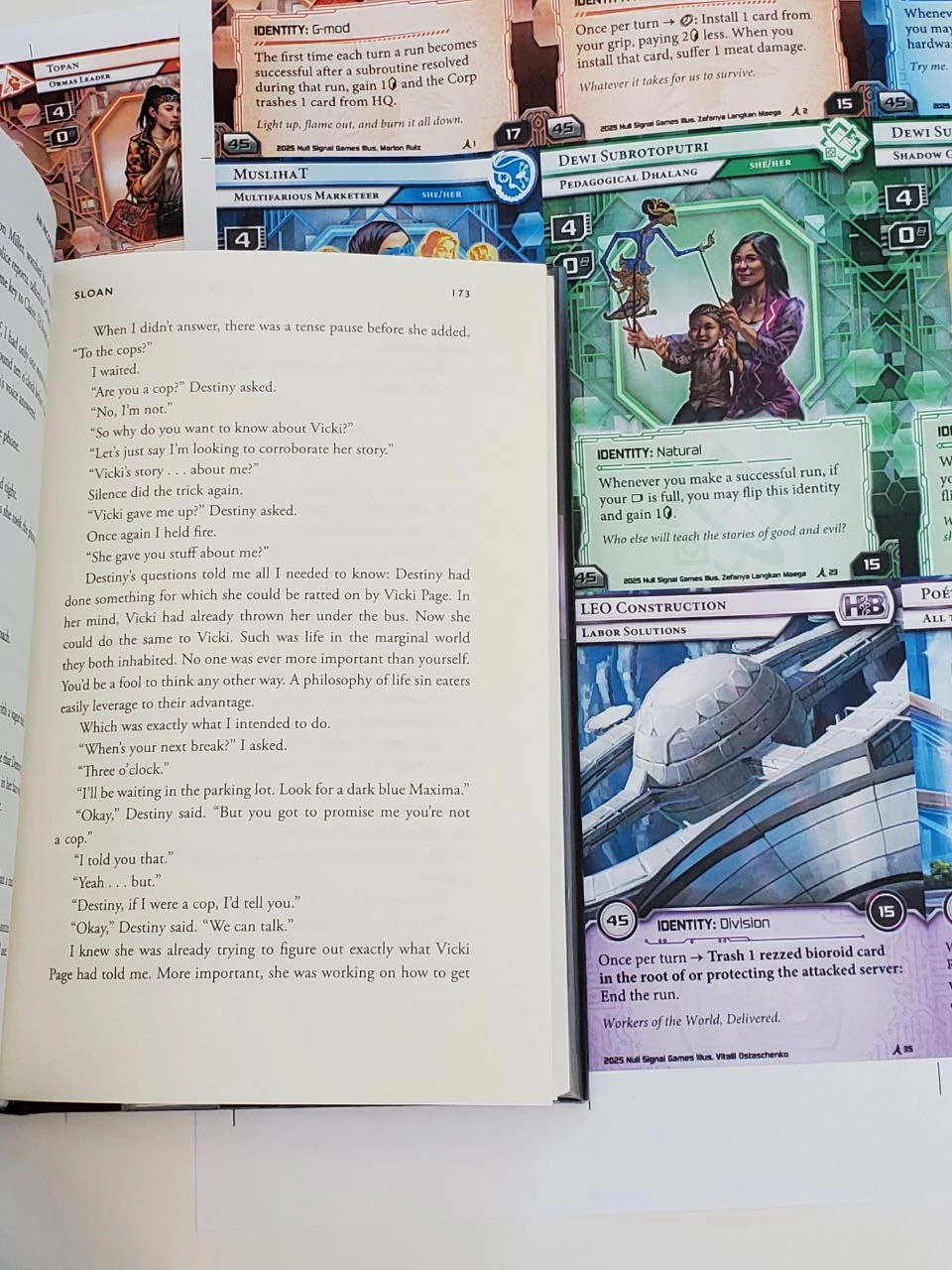
Here's an imgur album that shows my results. The text is legible, comparable to a regular print book. You can find "deck boxes" for regular index cards at any dollar store in the same material as regular deck boxes. It will be difficult to handle if you have particularly small hands. Our average size hands can handle several shuffling methods decently well.
The total cost for me was $95 CAD for System Gateway and Elevation; $71 in cards; $25 in equipment, and a bunch of time.
Unless you have high quality proxies, which you can find info about at /r/printandplay the minimum you need for physical play is:
- Printed paper in card size 📰
- Card backing 🎴
- A sleeve 🛡️
Prints 📰
The simplest solution for me was to print to use the Print and Play files already provided and print to a oversized MTG commander size, or the equivalent of two regular cards in area, side by side. These have sleeves available at a reasonable price. To print, you only need a simple 141% scaling, allowing you to print a NSG's Letter size (8.5 * 11) files to a Tabloid size (11 * 17).
My public library has inexpensive laser printing at $0.20 CAD / color page, regardless of size, and the first $5 / month is free! So both System Gateway and Elevation together are just above $10 worth of print costs. My GF and I combined our free prints together to make this free.
Cutting ✂️
However, you will need to cut out all these cards. If you are low vision, you may need to get some help with the cutting. There are a number of options:
- Straight edge & Rotary Cutter / Box Cutter (I did this but would not recommend doing so as a low vision person)
- Fiskars Surecut ($25 CAD) / Rotary Bypass ($100-200 CAD), as described in this video. ❗ Note: I think the Surecut is what will do you best.
Corner Rounder 🟢
Lastly, I also purchased a Kadomaru Pro NEO ($25 CAD) to round the corners of the cards. This takes a fair bit of time, but it's really nice to have a corner rounder. Makes all sorts of paper look and feel ✨ premium✨. And protects your laser prints from getting damaged – the sharp corners are the first things to get damaged.
Card Backing 🎴
Just bought two sets of these for 200 for $21 CAD. I also rounded the corner for these too. Amazon: 3.5x5 Small Blank White Cards
Sleeves 🛡️
I bought 5 sets of 40 for 200 sleeves in total for $30 CAD + shipping.
For these sleeves, see this blog post about the best oversized sleeves.
I would recommend finding these on eBay in particular. Search for Oversize Commander, 3.5x5" or 89x127mm.
Here are some entries from my history:
- https://www.ebay.ca/itm/405232535531
- https://www.ebay.ca/itm/395205801045
- https://www.ebay.ca/itm/405232535499
- https://www.ebay.ca/itm/167409868056 (this one is opaque-backed!)
Print and Play any other size
If you want to re-frame the cards in Photoshop or by some program, reach out to NSG by email or talk about it on #tools-development on the Green Level Clearance discord. Since I went with the Oversized, I didn't look into this much further.
The best size I found that's smaller than the Oversized is Tarot card size. You want a size that is well supported by sleeves.
Closing thoughts
If you or someone you love is low-vision and wants to keep playing card or board games, I hope this gives you a concrete starting point instead of a dead end. I’m especially grateful that the Netrunner community is so open to proxying, with even a blind player competing at top levels — showing up with these oversized cards has always been met with complete acceptance.
If you want more ideas, check out Veronica Lewis’s post on playing cards and low vision and Colorblind Games’ buyer’s guide to visually accessible board games. And if you tweak this method or discover a better way to print accessible cards, please share it so more people can get in on the game.
Appendix: sizing and printer math
If you want to sanity-check your own printer or tweak the size a bit, here are the measurements I worked from.
- Original Netrunner / MTG card: 63.5 × 88.9 mm
- Oversized MTG “commander” sleeve: 89 × 127 mm
- Tabloid paper: 11 × 17" = 279.4 × 431.8 mm
I started from the idea of scaling the card width by ~1.4×. That gives a theoretical card size of ~89 × 127 mm, which fits nicely in an oversized sleeve.
On 11×17, three cards across at 1.4× should fit inside the printable area with a bit of margin. My public‑library printer adds some unprintable margin at the edges, so I aimed slightly under that and ended up with a width scaling of about 1.41–1.42× in the PDF tool.
Empirically, my printed cards came out to roughly 87–88 × 122–123 mm once trimmed, which is:
- Big enough to be much more readable than stock cards
- Small enough to fit comfortably in 89 × 127 mm sleeves
- Still manageable to shuffle with average-sized hands
If your printer has different margins, you may need to nudge the scale a percent or two, but these numbers should get you very close.